Built for MSPs
One subscription covers every client. Deploy via Intune, SCCM, or your RMM. White-label it with your brand. One flat monthly fee, unlimited devices.
Talk to our MSP team48 automated fixes for printers, Outlook, network, Active Directory, and more. Built-in AI assistant that understands what's wrong. Loved by MSPs and IT teams.
Restart spooler, clear stuck queues, fix offline printers, detect network printers — all in one click.
Fix Safe Mode loops, disable faulty add-ins, repair profiles, rebuild search index, quick Office repair.
Clear Teams cache, reset OneDrive sync, fix sign-in loops, clean up broken sessions.
DNS flush, Winsock reset, WiFi diagnostics, firewall check, adapter cycling — get back online fast.
Users describe their problem in plain English. The AI suggests the right fix and runs it with one click.
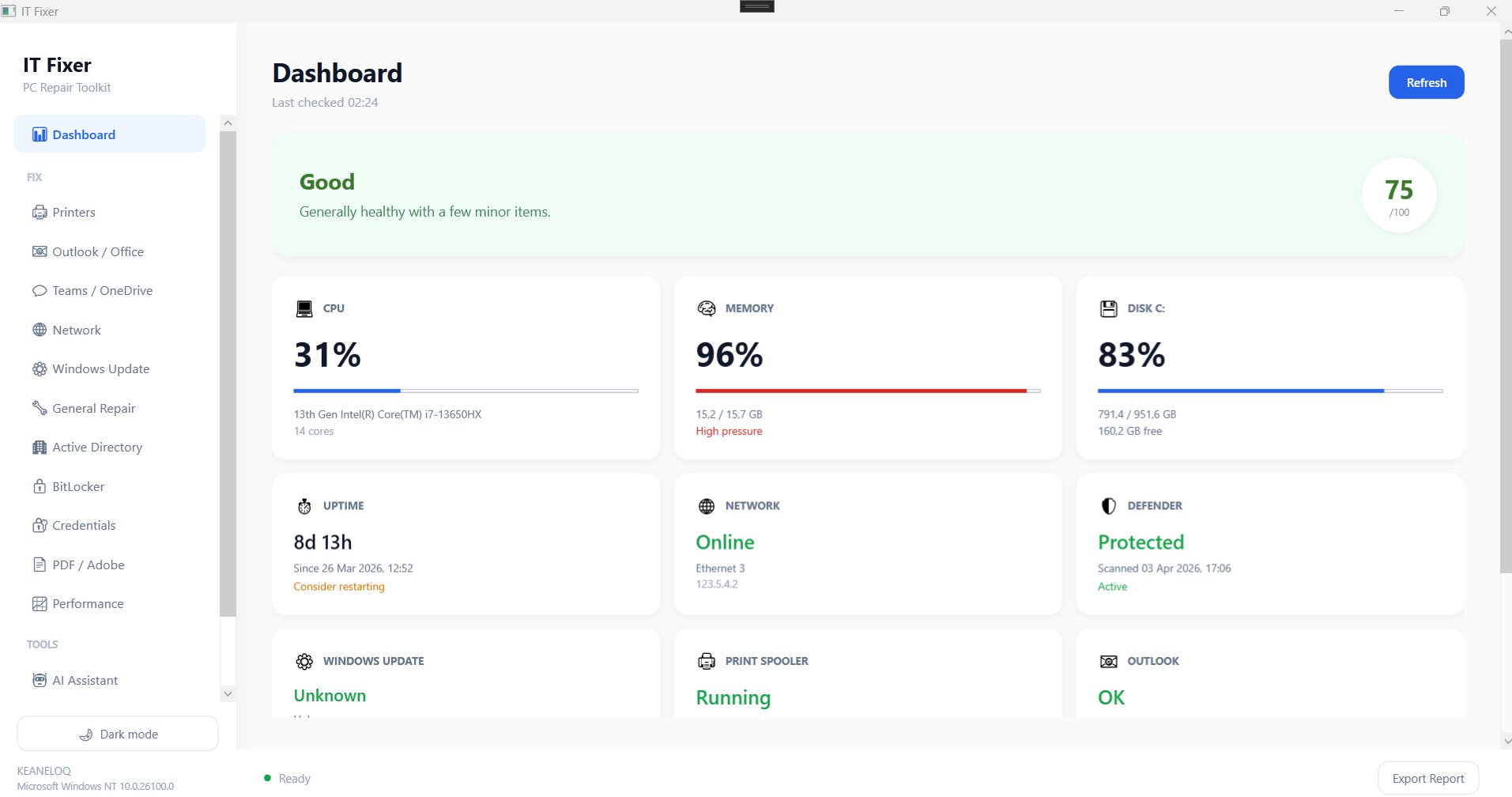
Real-time CPU, RAM, disk, Defender, Outlook, and spooler status. Auto-detects issues and links to fixes.
Check encryption status, view recovery keys, suspend before BIOS updates, resume protection.
Domain trust check, Kerberos flush, Group Policy update, domain join diagnostics.
See top CPU/RAM processes, system resource summary, running services, kill runaway processes.
One subscription covers every client. Deploy via Intune, SCCM, or your RMM. White-label it with your brand. One flat monthly fee, unlimited devices.
Talk to our MSP team"We deployed IT Fixer across 300 machines. Printer tickets dropped 60% in the first month. The AI assistant handles most user questions before they even reach us."
"As an MSP managing 12 clients, IT Fixer saves us hours every week. The flat-rate pricing is a no-brainer. We white-label it and our clients think it's ours."
"The Outlook Safe Mode fix alone was worth the price. Our accounting team was stuck in a crash loop for days. One click and it was solved."
Yes. Most fixes need to restart services, clear system caches, or modify registry settings, which require administrator elevation. The app requests this automatically on launch.
Yes. All 48 fixes run locally via PowerShell. The license validates online once per month and caches a token for 30-day offline use. The AI Assistant needs internet, but everything else works without it.
Yes. MSP and Enterprise customers get an MSI installer that supports silent deployment. Just push it through your RMM with the license key pre-configured.
The AI only suggests fixes from IT Fixer's built-in toolkit — it cannot run arbitrary commands. Users must click "Run Fix" to confirm before anything executes.
Windows 10 and Windows 11 (64-bit). Requires .NET 8 runtime, which is included in the installer.
Yes. Enterprise and MSP customers can customize the product name, company name, and accent color by editing a branding.json file. MSPs can set different branding per client.
We accept Visa, Mastercard, American Express, and local payment methods through Paystack. International payments via major credit cards are supported.
Download the free edition and see the difference in minutes. No signup required.